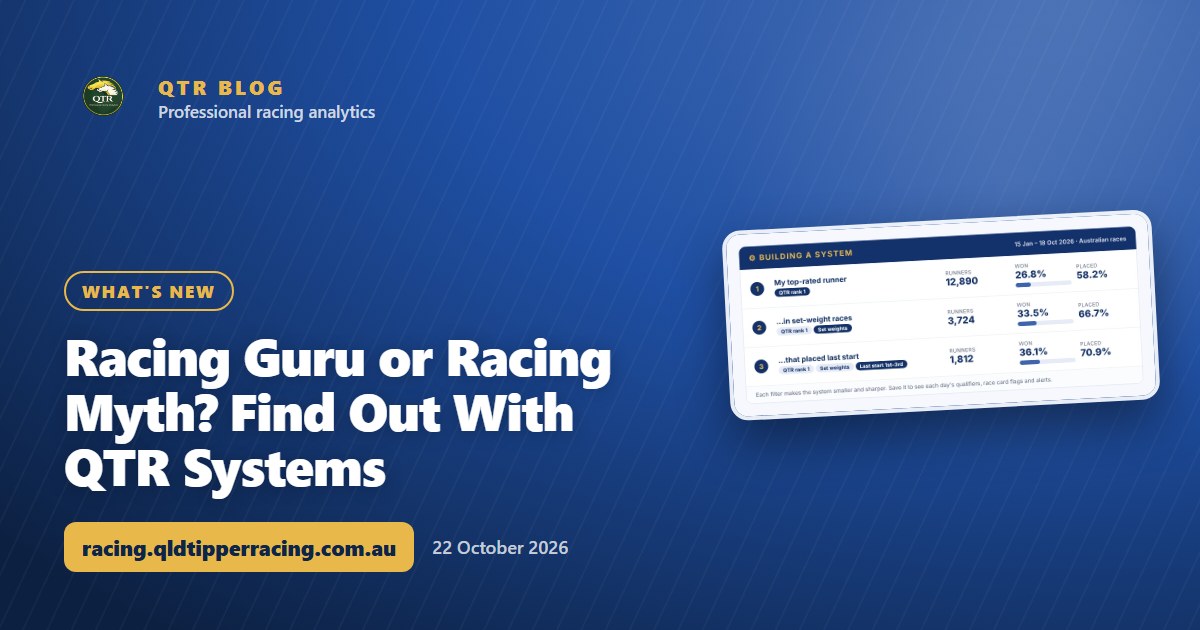
Racing Guru or Racing Myth? Find Out With QTR Systems
Got a racing rule you swear by? QTR Systems tests it against more than 125,000 runners in seconds, and it's open to all members and free trials until the new year.
It's Cox Plate week, and everyone's an expert. So, do you consider yourself a racing guru? Got a rule you'd swear by: second-up horses, set-weight races, the freshly gelded galloper? Here's your chance to prove it.
"Always follow them second-up." "Throw out the heavy-track form." "A horse that's just been gelded is one to watch." Racing is full of rules everyone swears by and almost nobody has checked. QTR Systems puts your racing knowledge up against more than 125,000 runners and shows you in seconds whether you're onto something, or just remembering the winners.
And as a launch special, it's open to every QTR member and free trial with no restrictions until the new year.
Try it free: my Demo Playground has a cut-down version of QTR Systems you can use right now, with no sign-in needed.
What QTR Systems does
Pick the filters that make up your system, and QTR Systems shows you how it would have gone on every Australian race I've rated since 15 January 2026. That's more than 125,000 runners, with my ratings exactly as they were before each race, so it only uses what you'd have known at the time.
Like what you see? Save it. From then on I'll show you the runners that fit it each day, flag them on the race card, and send you an alert when one comes up.
The filters
There are 35 filters in four groups. Use as many or as few as you like.
| Group | What you can filter on |
|---|---|
| My ratings | My rank in the race, my rating, how far my top pick is clear of the next best, and whether it's the favourite |
| The race | State, metro, provincial or country, track, distance, class, set weights or handicap, track condition, field size and day of the week |
| The horse's form | Last start finish, first-up, second-up or third-up, days since its last run, career starts and win strike rate, won at the track, the distance or on today's track condition, recently gelded, barrier and weight |
| Jockey, trainer and speed | Jockey and trainer form over their last 100 rides and runners, apprentices and their claim, early speed, last 600m and overall time ranks |
New to QTR? Sign up free and get 7 days of full access: my ratings, speed maps and race summaries for every race. No card needed.
Sign up freeWhat you see
Run your system and you get:
- The headline numbers: how many runners qualified, how many won, the win strike rate and how often they placed.
- Winners against expectations: 1.00 means the system found as many winners as expected, and anything above 1 means more.
- Month by month: a chart and a table for every month since January, how many months came out ahead, and the longest run without a winner.
- Breakdowns by state, metro, provincial or country, track, class, track condition and distance, so you can see where your system works and where it doesn't.
- Every qualifier, with the result, and a CSV download if you want to dig in yourself.
An example: narrowing down my top pick
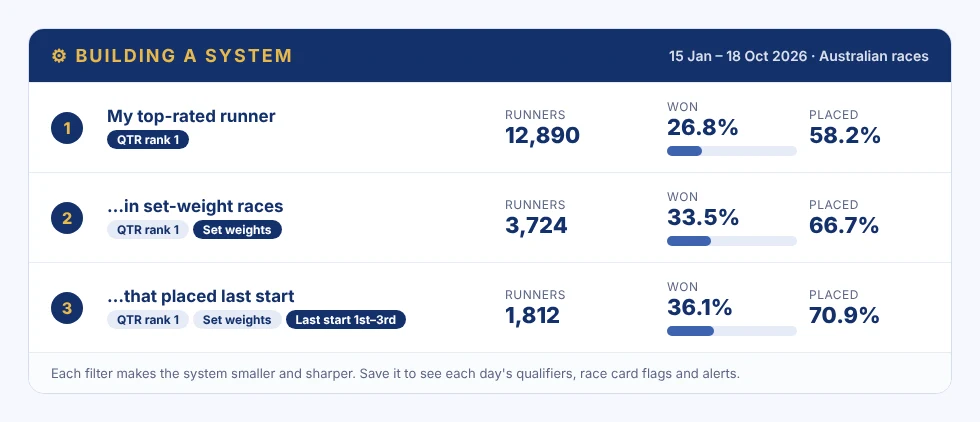
Here's how a simple system comes together, one filter at a time. All of these are real results from 15 January to 18 October 2026.
| System | Runners | Won | Win strike rate | Placed |
|---|---|---|---|---|
| My top-rated runner | 12,890 | 3,460 | 26.8% | 58.2% |
| ...in set-weight races | 3,724 | 1,246 | 33.5% | 66.7% |
| ...that also placed at its last start | 1,812 | 654 | 36.1% | 70.9% |
Each filter makes the system smaller, but sharper. Set-weight races suit my ratings because the weights don't level the field out, and a horse that ran well last time is in form.
The breakdowns tell you just as much. My top pick wins 24.2% of handicaps against 33.5% of set-weight races, and 24.1% on heavy tracks against 27.1% on good ones. That's exactly the kind of thing worth knowing before you settle on a system.
Save it and let it run
Once you've saved a system, it keeps working for you:
- Qualifiers: today's and tomorrow's runners that fit, on the Qualifiers tab.
- Race card flags: a small ⚙ tag next to any runner that fits one of your systems.
- Alerts: an email, and a Telegram message if you've linked Telegram, when a runner qualifies.
- A live record from the day you saved it, so you can see how your system goes from here, not just how it would have gone.
You can save up to 20 systems, switch alerts on or off for each one, and edit or delete them at any time.
Things I've learned building systems
- Start broad, then add one filter at a time. You'll see straight away which filters actually help.
- Watch the sample size. Narrow it far enough and any system looks brilliant. QTR Systems warns you when a system has fewer than 100 qualifiers, and fades breakdown rows with fewer than 30.
- Check it holds up month to month. One big month can carry a system. The chart and the monthly table show you if that's what's happening.
- Keep an eye on the live record. The past is a guide, not a promise. The live record shows how your system is going now.
Launch special: full access until the new year
QTR Systems is open right now to every QTR member and anyone on a free trial, as a feature launch special. You get the full feature, with no restrictions, through to the start of the new year. That's on top of everything else already included for existing and new members.
So make the most of it. Plan your spring racing season, then test, tweak and review your systems as the carnival rolls on. Put your racing knowledge to the test and see the results for yourself.
You'll find it under Members → QTR Systems. It works nicely alongside Ratings Lab, and for Saturday's big race, the Cox Plate race page has the field and the race's history.
See everything that's included on the Unlock QTR page, and everything I've added lately in the changelog.
Want to try it before you sign up? Build a system in my Demo Playground, with no sign-in needed.
Whatever your system says, set yourself a limit and stick to it.
18+ | Gamble responsibly | Gambling Help 1800 858 858 | gamblinghelponline.org.au | BetStop
Frequently asked questions
Where do I find QTR Systems?
Under Members, then QTR Systems. There are three tabs: Build & backtest, My systems and Qualifiers.
How far back does it go?
Every Australian race I've rated since 15 January 2026, more than 125,000 runners, using my ratings as they were before each race.
What happens when I save a system?
You'll see the runners that fit it today and tomorrow, a flag next to them on the race card, alerts by email (and Telegram if you've linked it), and a live record that starts the day you save it.
How many systems can I save?
Up to 20. You can switch alerts on or off for each one, and edit or delete them at any time. Changing a system's filters starts its live record again from that day.
Who can use QTR Systems?
Every QTR member and anyone on a free trial. It's a launch special: the full feature, with no restrictions, through to the start of the new year, on top of everything else already included in your membership.
Get 7 days of full access, free
Sign up free and every feature is unlocked for your first 7 days. No card needed.
- My ratings, speed maps and race summaries for every race
- Ratings Lab, My Assessment and custom speed maps
- QTR Futures for the big races ahead
- Form tools, head to head, trainer patterns and the Statistics tab
Read next
 What's newMy Bankroll: Your Bank, Every Bookmaker, One PageMy Bankroll keeps your whole bank in one place across every bookmaker, works out your stake for each race and updates itself as your bets settle.
 What's newQTR Is Now an App: Install It and Choose Your NotificationsQTR now installs on your phone straight from the website - free, no app store. Here's how to add it on Android or iPhone, and how to choose your notifications.
 What's newCustom Speed Maps: Set Up the Race the Way You See ItThink a runner will go forward or get back? Move it on the speed map, watch the likely pace change, and save your own map for the race.