Custom Speed Maps: Set Up the Race the Way You See It
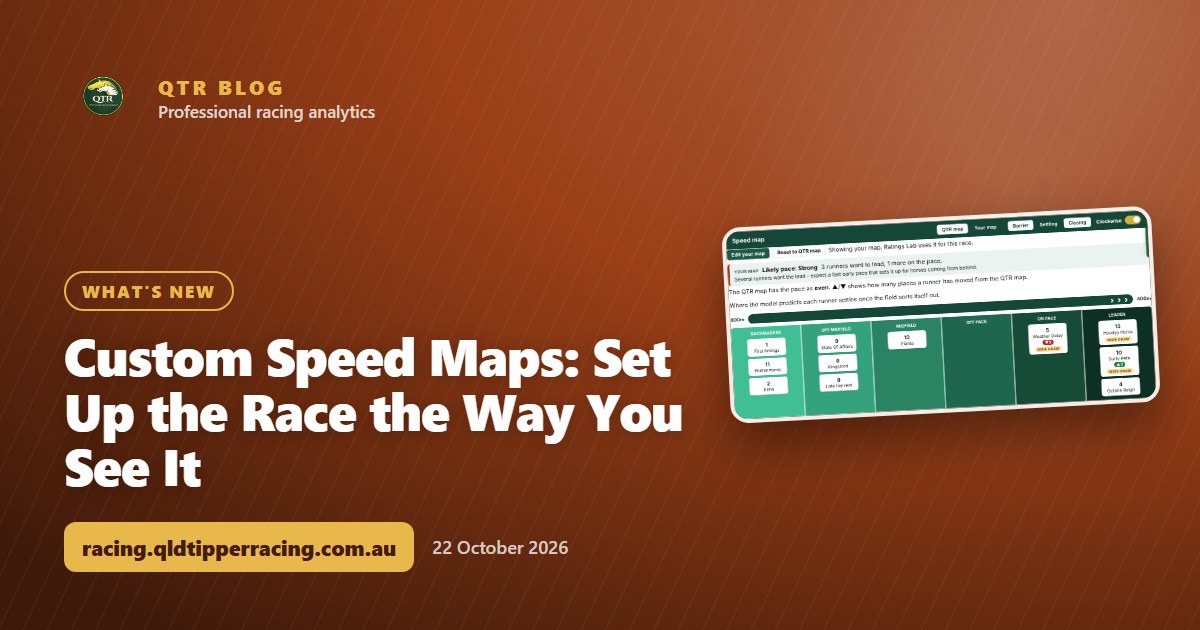
Think a runner will go forward or get back? Move it on the speed map, watch the likely pace change, and save your own map for the race.
A speed map is my best guess at how a race will be run: who leads, who sits handy, and who settles at the back. But you might know something the map doesn't. A jockey who always goes forward from a wide gate, a horse that's been ridden more positively in its trials, or a trainer who's said they'll be "up there this time".
Now you can put that on the map. Custom speed maps let you move runners on any race's speed map to where you think they'll settle, see what that does to the likely pace, and save it to your account.
Try it free: make your own speed map for The Everest or the Caulfield Cup in my Demo Playground, and watch Ratings Lab use it. No sign-in needed.
How custom speed maps work
- Open a race and choose the Speed Map tab.
- Tap Make your own map. It starts as a copy of my map, on the Settling view.
- Move the runners. On a computer, drag a runner into another lane or onto another runner. On a phone, tap a runner and use Further forward, Further back, Ahead in lane and Behind in lane.
- Save your map. It's kept on your account for that race, and you can switch between QTR map and Your map at any time.
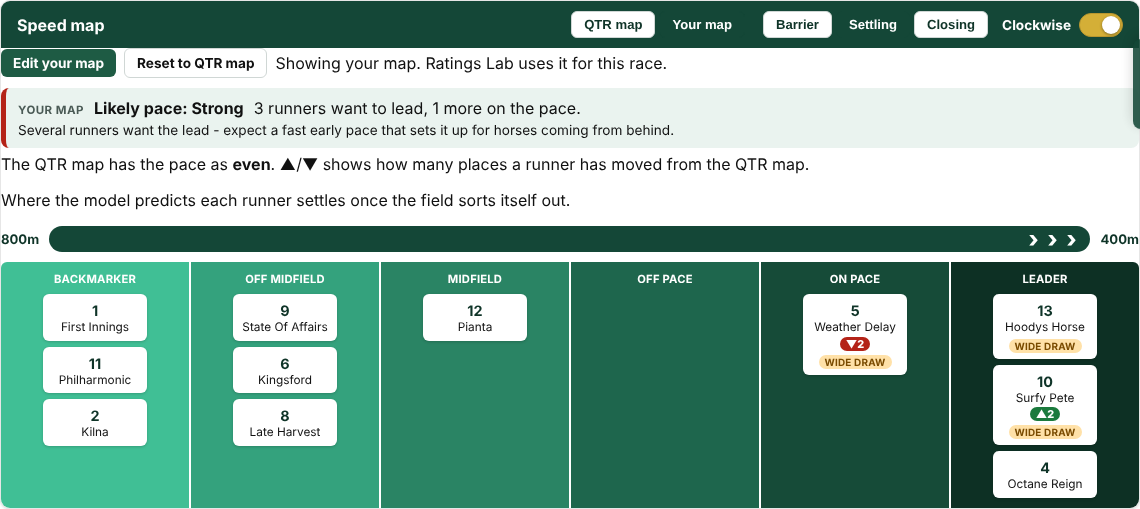
Every runner you've moved shows a small green or red arrow with how many places it has gone forward or back from my map. Reset to QTR map clears your changes in one tap.
The likely pace, worked out for you
Above the map there's now a likely pace read-out, based on how many runners want to lead and how many will be on the pace:
| Likely pace | What the map shows | What it usually means |
|---|---|---|
| Slow | Nothing wants to lead | The on-pace runners get an easy time and are hard to run down |
| Even | One clear leader | A settled tempo, and horses handy to the speed are well placed |
| Genuine | Two leaders, or plenty on the pace | The leaders have to work, and the midfield gets a chance |
| Strong | Three or more want the lead | A fast early pace that sets the race up for horses coming from behind |
When you're looking at your own map, it also tells you what my map says, so you can see straight away whether your view changes the shape of the race.
New to QTR? Sign up free and get 7 days of full access: my ratings, speed maps and race summaries for every race. No card needed.
Sign up freeAn example: Horsham Race 8
On my map for Horsham Race 8 on Sunday 18 October, Hoodys Horse was the only natural leader, with Weather Delay on the pace behind it. That's an even pace.
Say you think Surfy Pete's rider will push forward from barrier 10, and Octane Reign will go forward from barrier 1. Move both up to the Leader lane and the read-out changes to strong, with three runners now wanting the lead. Surfy Pete picks up a "wide draw" flag too, because it now has to cross the field from a wide gate to get there.
That's a very different race from the one my map expects, and it's exactly the kind of thing that's worth thinking through before the jump.
Your map feeds Ratings Lab
Once you've saved your own speed map, Ratings Lab uses it for that race. Turn up the Leaders and on-pace or Back-markers and swoopers sliders and they work from where you've put the runners, not where my map has them. On the meeting page, any race with your own map is marked so you know which ones you've changed.
So you can set up the race the way you see it, then tune my ratings to suit, all in a couple of minutes.
Who can use custom speed maps?
Custom speed maps are for QTR members, including anyone on the free 7-day trial. You'll find them on the Speed Map tab of every race. If you're new to speed maps, my guide on how to read a speed map is a good place to start. See what's included on the Unlock QTR page, and everything I've added lately in the changelog.
Not a member yet? Try custom speed maps in my Demo Playground on a big race, then reveal how it was run. No sign-in needed.
However you see the race, set yourself a budget first and stick to it.
18+ | Gamble responsibly | Gambling Help 1800 858 858 | gamblinghelponline.org.au | BetStop
Frequently asked questions
Where do I find custom speed maps?
On the Speed Map tab of any race page. Tap Make your own map to start from a copy of my map.
Can I move runners on my phone?
Yes. Tap a runner, then use Further forward, Further back, Ahead in lane and Behind in lane. On a computer you can also drag runners.
How is the likely pace worked out?
From how many runners want to lead and how many will be on the pace: nothing leading is slow, one clear leader is even, two leaders or plenty on the pace is genuine, and three or more leaders is strong.
Does my speed map change anything else?
Yes. Ratings Lab uses your saved map for that race, so the Leaders and on-pace and Back-markers sliders work from where you've put the runners.
Who can use custom speed maps?
QTR members, including anyone on the free 7-day trial for new accounts.
Get 7 days of full access, free
Sign up free and every feature is unlocked for your first 7 days. No card needed.
- My ratings, speed maps and race summaries for every race
- Ratings Lab, My Assessment and custom speed maps
- QTR Futures for the big races ahead
- Form tools, head to head, trainer patterns and the Statistics tab
Read next
 What's newMy Bankroll: Your Bank, Every Bookmaker, One PageMy Bankroll keeps your whole bank in one place across every bookmaker, works out your stake for each race and updates itself as your bets settle.
 What's newQTR Is Now an App: Install It and Choose Your NotificationsQTR now installs on your phone straight from the website - free, no app store. Here's how to add it on Android or iPhone, and how to choose your notifications.
 What's newMy Assessment: Rate Every Runner Yourself and Track How You GoPut your own figure on every runner in a race, compare it with my ratings, and track how your assessments go over time on your Blackbook page.